Recording multiple recasts is now possible with Flow. This is one of our biggest updates on 2026.
Automatic Vs Manual Recordings | Single Vs Multiple Recordings
Flow provided automated recording to help you with starting the recording as soon as you start the event. However, it did not provide you with a stop button, or the ability to record multiple recasts.
With today's update, you can turn off the automatic recording and switch to manual. As soon as you do this, your webinar room won't start the recording automatically. Instead, there is an option to record it manually.
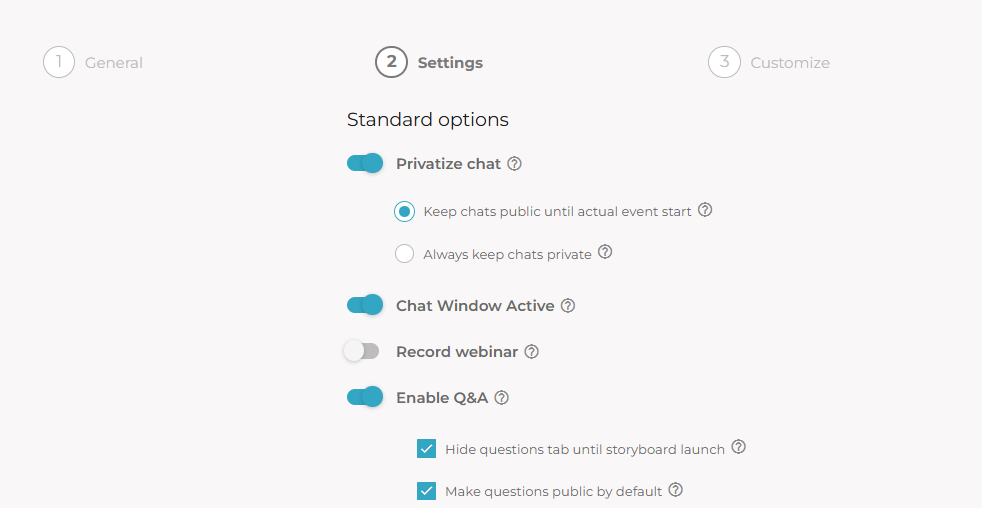
Recording Turned Off (Record Webinar toggle)
A New Option for Recording the Webinar
- The new option appears below the participants list now
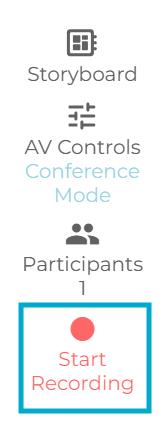
Create Multiple Recordings
With automatic or manual, now you can also create multiple recordings in a single event/session.
- The option appears below the Participants list.
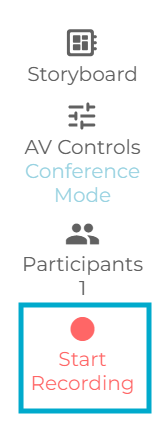
- If "Record Webinar" is enabled in the settings, when you start the event, it turns Green. You can still stop the recording and create new recordings whenever you want.
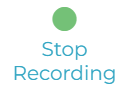
- If the Automatic Recording is disabled, after starting the event, you can click on "Start Recording" to start a new recording. You can create multiple recordings on the fly.
Learn How to Manage Recordings
Was this article helpful?
That’s Great!
Thank you for your feedback
Sorry! We couldn't be helpful
Thank you for your feedback
Feedback sent
We appreciate your effort and will try to fix the article